Quiz Versus Photo Upload for Finding a Flattering Hair Color: Which Should You Start With?
Searching for a flattering hair color, you will find two kinds of tools: quizzes that ask about your coloring, and tools that analyze a photo you upload. They look like two routes to the same answer — "what hair color looks best on me" — but they answer different questions from different information. This article compares the hair color analysis methods fairly: what each uses, where self-reported answers and camera conditions change the outcome, and how to combine them into a shortlist for your salon visit.
Disclosure: this comparison is published by the team behind Tone & Fit, an AI-powered color analysis app.
A third concept appears along the way: the virtual preview that alters an image to show a shade on your face. Confusing it with photo analysis is a common mix-up, so the sections below keep the three separate.
The short answer: quizzes and photos answer different questions
A quiz asks you to describe your coloring; a photo-based analysis reads an image of it; a virtual preview changes that image to show a different look. A questionnaire runs on self-report: your answers about eye color, natural hair color, skin tone and undertone become the input. Photo analysis runs on measurement: software examines the pixels of your photo and classifies what it finds. A virtual preview is neither — it renders a proposed shade onto your photo so you see an appearance instead of a verdict.
That is why "photo color analysis versus quiz" has no single winner: each channel carries different information, each has blind spots, and neither can promise a flattering result.
What a hair-color quiz typically uses
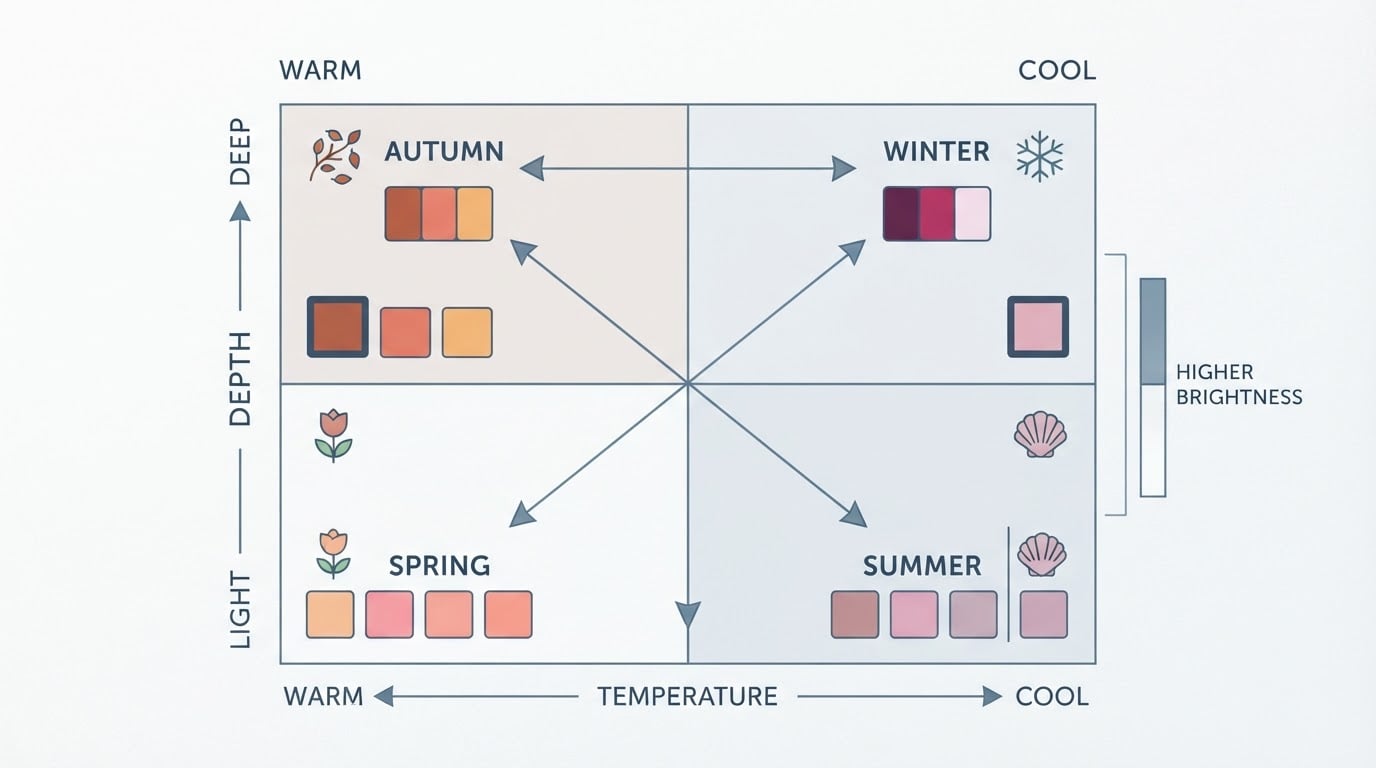
Most hair-color quizzes ask a short set of questions drawn from seasonal color analysis: your eye color, natural hair color, skin tone, and undertone clues such as whether your veins look blue or green or whether you burn before you tan. Many add practical questions — whether your hair is dyed, how much gray is present, how much upkeep you want — then map your answers to a season or shade family, the result people mean by "what hair color suits me quiz".
The label "quiz" does not tell you what a tool actually uses. e.l.f. Cosmetics' free color-analysis quiz, for example, is described in its own guide as starting with a selfie or camera-roll upload, after which you are matched to a season based on your skin tone, undertones, hair and eye color. A tool can call itself a quiz and still be photo-driven, so check what it collects first.
The blind spot of a true questionnaire is self-reporting. Answers depend on how accurately you see yourself, ambiguous questions can be answered differently on different days, and wishful answers are common — people describe the hair color they want rather than the one they have. Quiz logic cannot verify any of it against your actual appearance.
What photo-based analysis can evaluate from an image
Photo-based analysis works on what is visible and measurable: undertone signals in skin pixels, the lightness or depth of your coloring, overall contrast, and how your hair, eyes and skin relate. Because the same measurement routine runs every time, it is a useful counterweight to self-assessment — your answers drift with mood and memory; pixel analysis does not. It can only read the photo it was given.
What it cannot see matters as much. A photo cannot reveal your natural undertone if it was taken under a warm bulb, run through a beauty filter, or shot with the wrong white balance. If your hair is dyed, the photo shows the dye job, not your natural base, and a crop that hides your roots hides exactly what an analyst would want. A photo upload is only as informative as the picture itself — hence the checklist later in this article.
Photo analysis versus virtual hair-color try-on
Virtual try-on tools answer a different question: not "what suits me?" but "what would I look like in this shade?" People who search "virtual hair color try on" or want to "test hair color on photo" usually want to see a candidate color on their own face before committing.
L'Oréal Professionnel's virtual hair colour try-on tool is a typical example of the category: you take a selfie or upload a photo, try on a range of shades online, and can show the preview to your colorist. The company describes the tool as using augmented reality, and its own guidance notes that results may vary depending on your current hair colour, photo lighting and screen settings.
A preview is not an analysis. Seeing a shade on your photo shows how that color looks against your features in that image; it does not say whether the shade harmonizes with your undertone, value or chroma. The two complement each other: analysis narrows the field to shades worth previewing, and the preview shows how the shortlist wears.
Where lighting, camera processing and existing hair color matter
Both photo analysis and virtual try-on inherit whatever the camera captured, and cameras are not neutral. Indoor bulbs cast warm or cool casts that shift every skin tone; mixed lighting confuses automatic white balance; HDR and beauty processing smooth and recolor skin. The same face near a window on an overcast day and under a tungsten lamp can look like two different people — to a human analyst or to software.
Existing hair color is a separate source of error. If your hair is dyed, its current color is a product decision, not a measurement of your natural coloring, and tools that factor in hair color may weight a shade you chose rather than the base you were born with. Root regrowth is often the only honest sample of your natural color, which is why many analysis guides ask you to show it.
When a quiz may be the more practical starting point
A quiz is often the better first step when no good photo is available — no camera setup, lighting or file to manage.
Quizzes also suit readers who are not comfortable uploading a photo at all. If that is you, check each tool's current official privacy policy for its data-handling details before you use it. Finally, a quiz is a low-cost orientation that teaches you the vocabulary — undertone, value, chroma, season — that a salon conversation will assume.
When a suitable photo may add useful context
A photo upload earns its keep when your self-assessment is genuinely uncertain. If quizzes have landed you on different seasons on different days, or you cannot tell whether you read warm or cool, photo-based analysis gives a second opinion that does not depend on your answers — the scenario behind searches like "what hair colour suits me upload photo".
Photos also capture what questions cannot: how your skin, eyes and current hair interact in one frame. And if you want to preview a specific change, a photo is not optional — every virtual try-on needs one. Comparing candidates? Upload the same well-lit photo to an analysis tool and a try-on tool so the two results can speak to each other.
How to compare conflicting quiz and photo results
When the methods disagree, resist asking which is "right". Instead, ask which input changed. If the quiz says cool and the photo analysis says warm, check whether your answers described dyed hair rather than your natural base, or whether the photo was taken under a warm lamp. Fix the input, not the verdict: retake the photo in neutral daylight, or redo the quiz describing your regrowth and bare skin.
Then look for convergence. If quiz and photo analysis point to the same season, you have a workable direction. If they still conflict after corrected inputs, your coloring probably sits near a season boundary — and the tie-breaker belongs in front of a mirror with fabric drapes, or with a colorist who sees you in person.
A pre-upload photo checklist
Whatever tool you choose, photo quality decides result quality. Follow the tool's own instructions first, then use this checklist:
- Shoot in natural daylight near a window, not under lamps or in mixed lighting.
- Face the light source so your face is evenly lit, with no harsh shadows.
- Turn off beauty modes, HDR and filter overlays on your camera.
- Set white balance to daylight if your camera allows it.
- Remove makeup that changes your skin color if the tool asks for a bare face.
- Show your hair as it is now — including root regrowth if your hair is dyed.
- Keep your face and hair fully in frame, looking straight at the camera.
- Use the original photo file, not a screenshot of another screen.
Turning digital guidance into a shortlist rather than a guarantee
Once you have quiz answers, a photo analysis, or both, aim for a shortlist, not a verdict. Write down three to five candidate directions in language a colorist can use — direction plus depth, such as "warm golden, medium brown" — and note what each method contributed and where you corrected its input.
If you already have a seasonal color result and want to move from palette to actual shade choices, that application has its own guide: choosing a hair color that fits your seasonal color palette walks through translating temperature, depth and intensity into shade directions. This page stays with the method comparison.
If you want a photo-based second opinion before you book anything, Tone & Fit's free web-based color analysis tool analyzes an uploaded photo against a 12-season system and returns your season with a confidence score; the app adds an AI Hair Studio that the company describes as a virtual try-on with 138 hairstyles and 105 hair colors, so you can preview candidates against your analyzed season. Like every example here, it is a decision aid — a useful check, never a promise that a shade will flatter you.
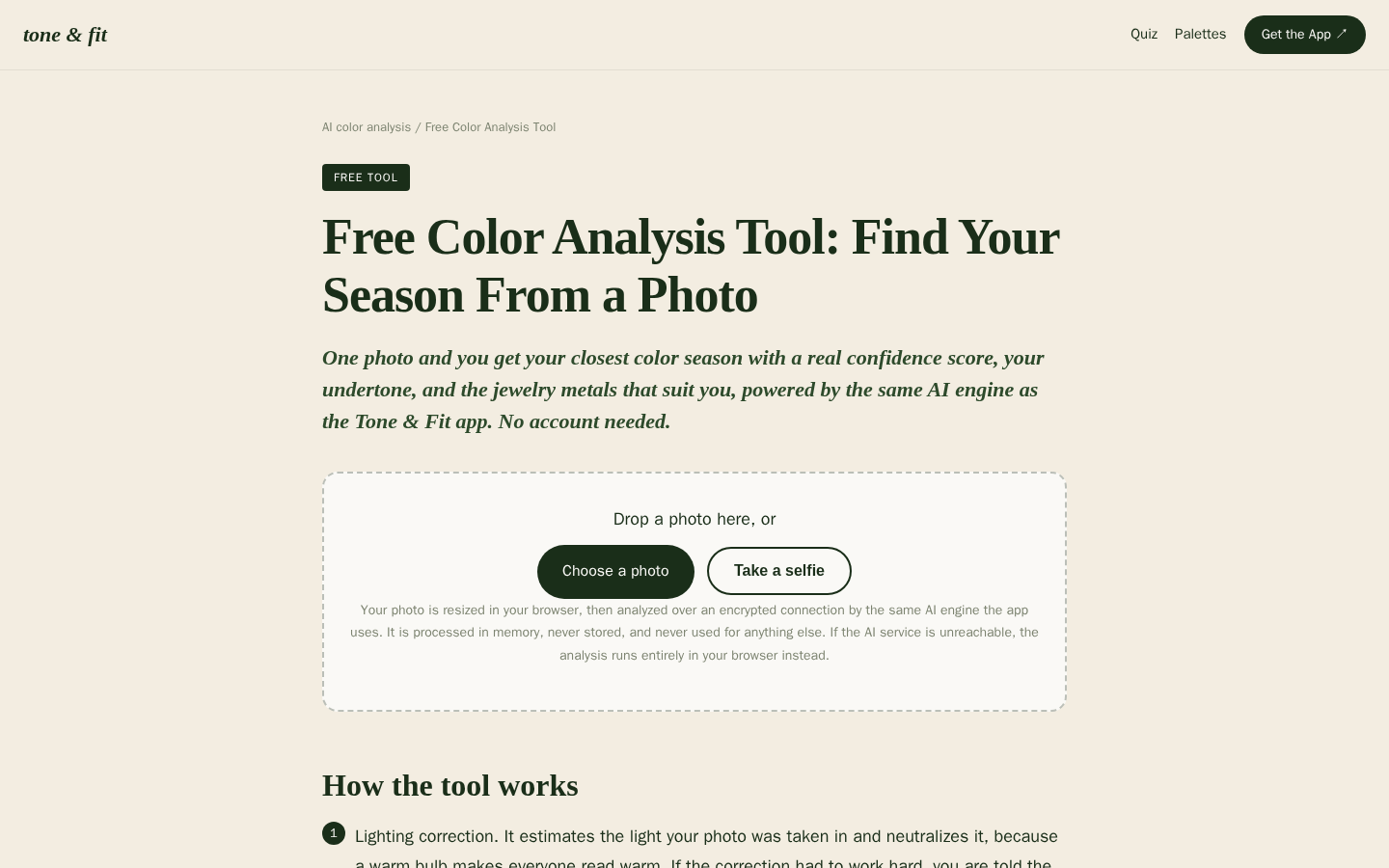
Desktop first-screen of the free web-based color analysis tool with photo upload drop zone, how-it-works steps, and privacy notes
Run the free Tone & Fit color analysis or download the app, then take your shortlist and questions to a qualified colorist. The person who sees your hair in person has information no quiz or photo can capture — and the final choice should always be yours.